
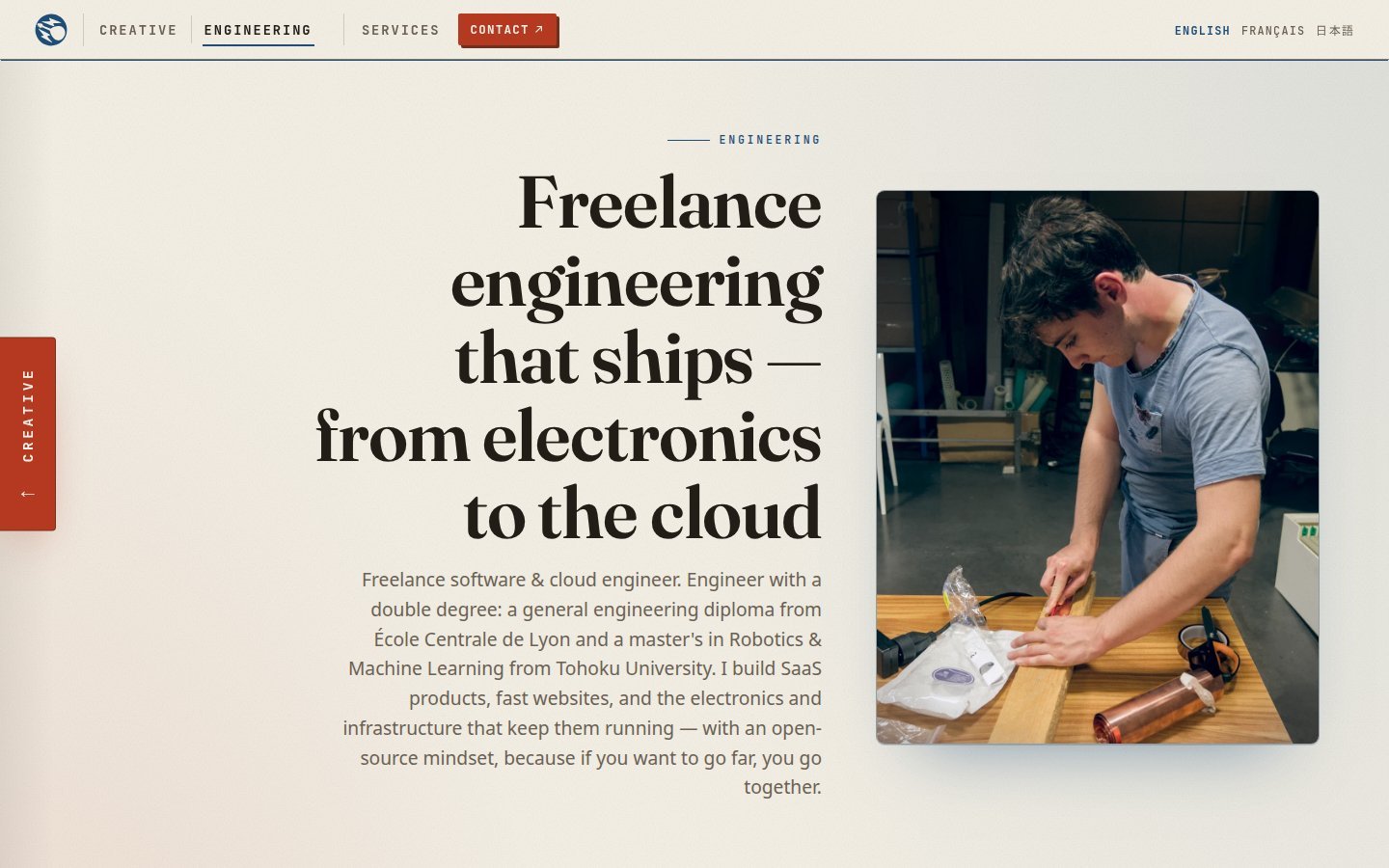
Introduction
Why would I build my freelance website without WordPress, when this blog has been running on it since 2023 ?
Since 2026 I am freelancing in Japan, in the Sendai area : websites, data and AI tools, and video. The first thing a client asks is “can I see what you did ?”. Until now the answer was this blog, which is nice for makers but not really what a company wants to read before asking for a quote. So in July I built eymeric.me, my freelance portfolio.
In this article I will explain how the site is built (Astro, Keystatic and Cloudflare Workers), why I chose each brick, and what I would reuse for a client. Everything here works for any small multilingual site.
Quick numbers before we start :
- First commit on 5 July 2026, first full version the same day
- 99 commits until the end of September
- About 40 static pages, in English, French and Japanese
- Running cost : almost zero, static files on Cloudflare are free so I only pay the domain
Features I wanted
- Three languages : English, French and Japanese, because my clients are in Japan and in France
- Two faces : an engineering side (SaaS, websites, electronics, infrastructure) and a creative side (videos, photos, making)
- Fast, with no server to maintain
- Editable without code, through a CMS
- Easy to find on Google from day one
Two sides, one pamphlet
The site has two sides, Engineering and Creative, and a tab on the edge of the screen swipes from one to the other. I didn’t want two separate websites, because in my point of view it is the same work : engineering is what I build, and the creative side is how I tell it.
The layout is like an open pamphlet : creative is the left leaf, engineering the right one, and the whole page is mirrored with only two CSS variables (--side-align and --side-dir). Each side has its own ink, Prussian blue for engineering and vermilion for creative, on a washi paper background. Headings use the Fraunces font, straight on engineering and italic on creative.
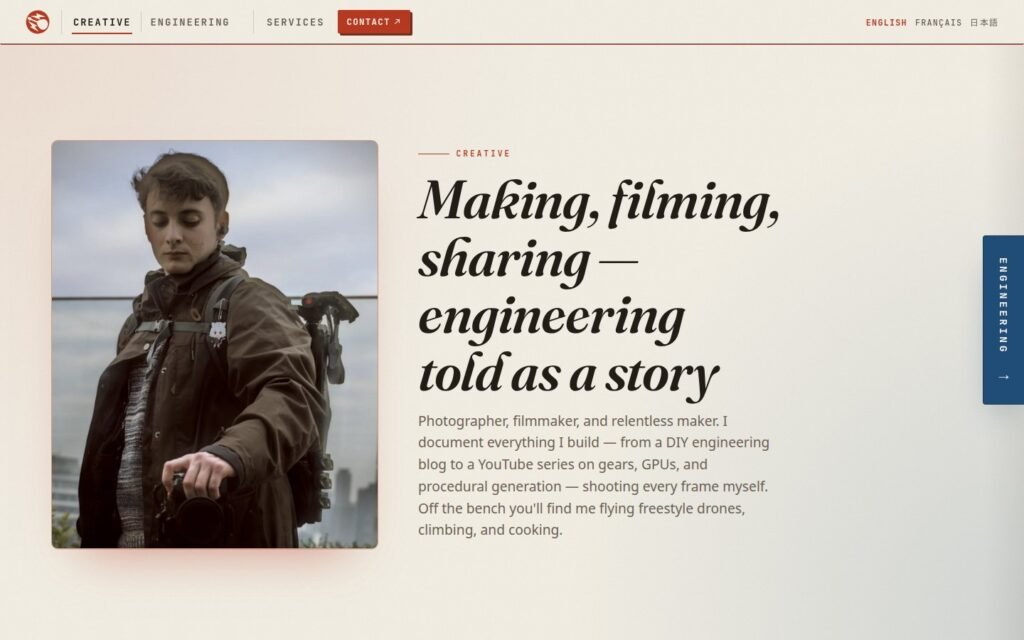
My first version computed the creative colour from the blue, taking the opposite on the colour wheel. It was mathematically perfect and it looked… generated. So I picked both inks by hand and checked their contrast for accessibility (WCAG AA), in light and dark mode.
The stack
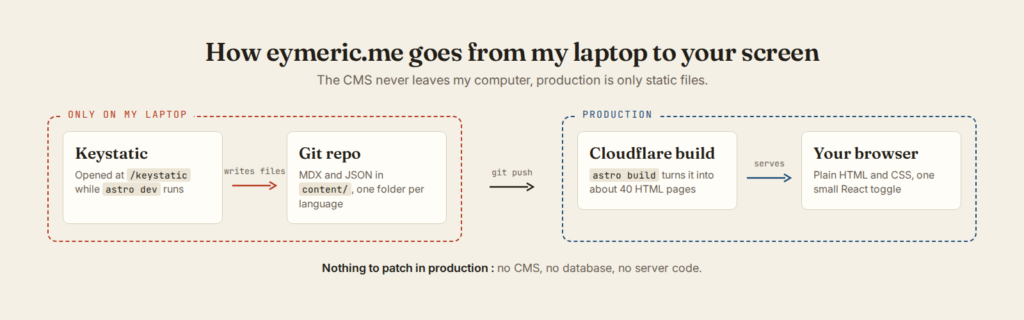
Before the details, here is the whole picture :
Astro, fully static
The site is built with Astro in output: 'static' mode : the build gives a folder of HTML files and nothing runs on a server. There is only one piece of React on the whole site, the toggle between the two sides. Everything else is plain HTML and CSS.
Pros : fast, nothing to update or secure, any static host works
Cons : every change needs a rebuild and a deploy
Keystatic on Cloudflare Workers : run the CMS only in dev
This is the magic sauce of the project ! Keystatic is a CMS that writes Markdown and JSON files directly into the Git repository. I open /keystatic locally, edit a project, commit, push, and Cloudflare rebuilds the site.
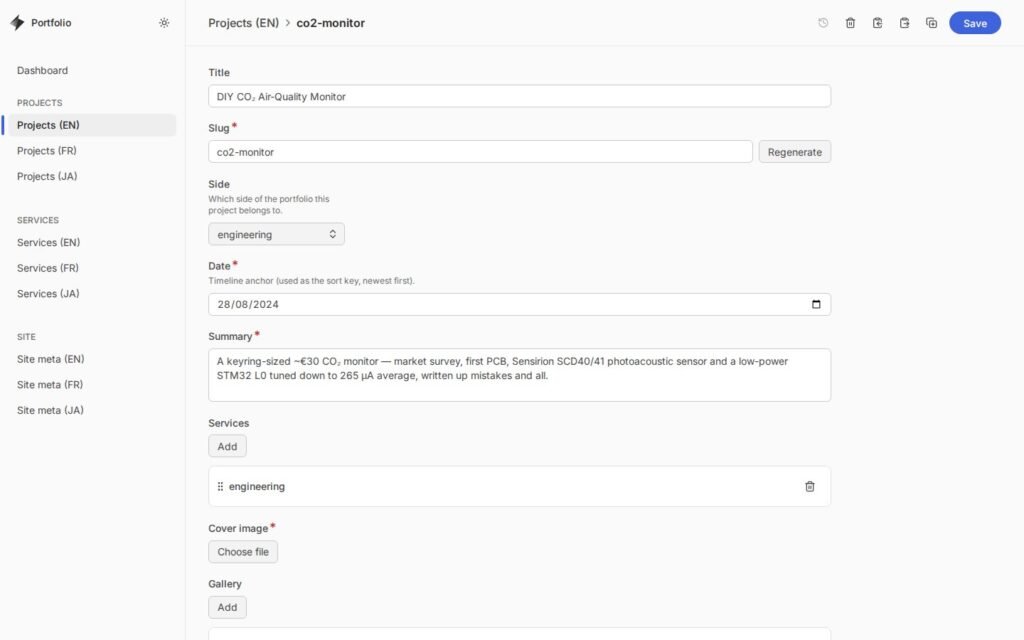
At first I wanted the CMS online, with GitHub storage and a server adapter on Cloudflare. It doesn’t work : Keystatic’s admin expects a Node runtime, and a Cloudflare Worker only emulates part of Node through the nodejs_compat flag. And even if it worked, I needed a GitHub App and three secrets just to log in to an admin page that only I use. So I flipped the problem. The CMS is loaded only when I run astro dev, and the production build ships no CMS at all. It’s a tiny Astro integration :
// astro.config.mjs (simplified)
function keystaticDevOnly() {
  const ks = keystatic();
  return {
    name: 'keystatic-dev-only',
    hooks: {
      'astro:config:setup': (params) => {
        if (params.command !== 'dev') return; // production build : no CMS at all
        return ks.hooks['astro:config:setup']?.(params);
      },
    },
  };
}
Pros : there is no admin page in production, so nothing to hack and nothing to patch
Cons : I can only edit from a computer with the repository and Node installed. For a portfolio that only I edit, it’s totally fine. For a client who wants to edit from their phone, it’s not.
Cloudflare for hosting
The dist/ folder is served by Cloudflare as static assets. The whole Wrangler config fits in a few lines :
{
  "name": "freelance-landing-page",
  "compatibility_date": "2026-07-13",
  "assets": { "directory": "./dist" } // the only thing Cloudflare needs to know
}
Redirects (for example / to /en/engineering/) are plain 301 in a _redirects file.
Design tokens, checked by grep
All colours are tokens in three CSS files : primitive, then semantic, then one theme per side. Components are not allowed to use a colour value directly, and I check it with a single grep in package.json :
npm run tokens:check
# runs : grep -rIE '#[0-9a-fA-F]{3,6}|rgb\(|hsl\(' src/components src/layouts src/pages
It’s really simple, but thanks to it a palette change only means editing the token files.
Three languages
Each project exists three times, in content/projects/en/, fr/ and ja/, with the same file name. Thanks to that, the language switcher always finds the twin page, and so does Google.
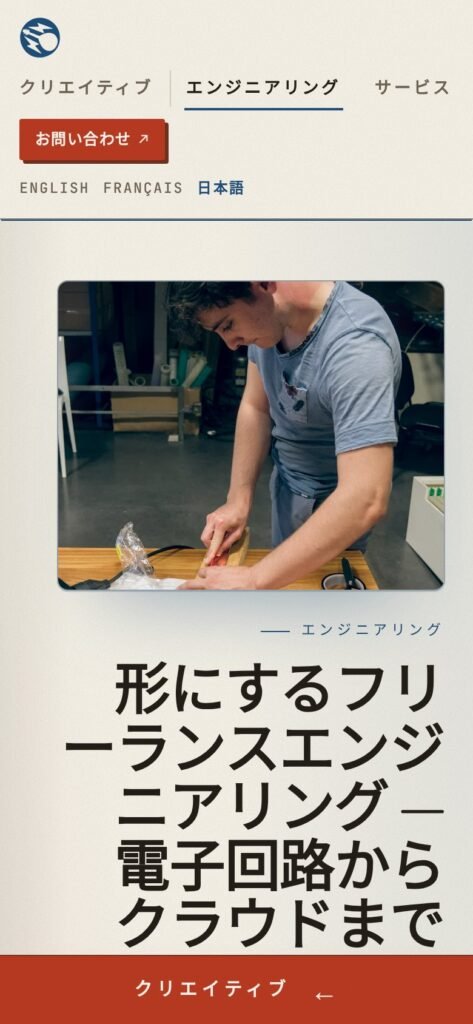
Visitors land on the English version and pick their language in the header. The site never redirects you based on your browser language, which is also what Google recommends for multilingual sites.
How Google understands the site
For a portfolio, SEO is mainly two questions : does Google know that the three versions of a page are the same page, and does it know who is behind the site ?
For the languages, every page declares its own address and its twins in the other languages (the hreflang tags, plus x-default for the English fallback). The sitemap repeats the same links. So Google sees one page in three languages, not three copies of the same content.
For the person behind it, each page carries structured data (JSON-LD). It’s a small block of code that visitors never see, and it tells Google “this is a person, an engineer in Sendai, here are the services and here are the projects”. It’s the same information as on the page, just written for machines.
The sitemap also gives the date of the last real edit of each page, taken from Git. So when I update an old project, Google knows it changed.
And the most basic lesson : write the words your clients search. My first version never said “freelance” anywhere, on a freelance website ^^ Now it’s the first word of the page.
Built with an AI pair programmer
Full disclosure : most of the 99 commits were written with Claude Code. In my point of view it is still a tool rather than a game changer. It types fast, but the architecture, the review of every change and catching the mistakes were still my job.
Result
Today eymeric.me has 7 engineering projects (the newest one is recherche-maison), 1 creative project and 3 services, in three languages. Some of the projects come from this blog : the CO2 monitor, the Taiko controller and the Formula Student TSAL now have their own page there, written for clients instead of makers.
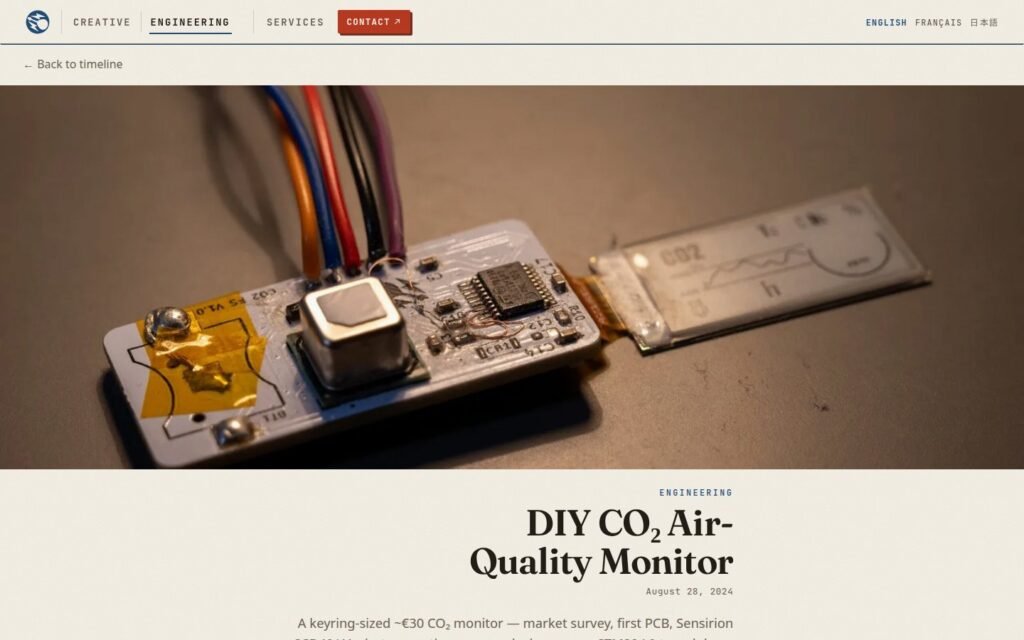
One last detail I like : my quotes and invoices are signed PDFs, and eymeric.me/gpg hosts the public key, so a client can check that a document really comes from me.
Lighthouse scores
I ran Lighthouse (version 13.5) on the home page and on a project page, three times each on mobile and on desktop. Here are the medians :

| Page | Device | Performance | Accessibility | Best practices | SEO |
|---|---|---|---|---|---|
| Home | Mobile | 79 | 100 | 81 | 100 |
| Home | Desktop | 97 | 100 | 81 | 100 |
| CO2 monitor project | Mobile | 90 | 100 | 81 | 100 |
| CO2 monitor project | Desktop | 100 | 100 | 81 | 100 |
Accessibility and SEO are at 100 everywhere, which was the goal. The weak point is performance on mobile. Lighthouse simulates a slow 4G phone, and on it the home page needs 5.1 s before its big headline is fully drawn. The clearest problem is the images : they are sent at their full desktop size, so about 550 KB of the 800 KB home page are photos, and Lighthouse estimates that 500 KB could be saved on a phone. Serving smaller images to phones is the next fix on my list.
Best practices is stuck at 81 on every page because of one script, the bot detection that Cloudflare adds to the page by itself. And there is no analytics and no third-party request at all.
Conclusion
That’s it for this tour ! If you need a fast multilingual website, a SaaS or some electronics, my freelance portfolio is the place to contact me.
And yes, I see the irony of writing all this on a WordPress blog. Maybe this blog will be the next one to move… stay tuned ! The next article is about my current side project, recherche-maison.com : the whole French energy certificate database, queried directly in your browser.
Leave a Reply